
PSLinkB - PS5 一键推流 B 站
安装教程
OpenWrt 25.12.x
wget -O - https://raw.githubusercontent.com/urlynn/PSLinkB/main/scripts/install.sh | sh
Apk 包管理器用户可使用一键安装脚本安装
OpenWrt 23.05 ~ 24.10
opkg update
opkg install luci-app-pslinkb-0.3.0.ipk
opkg install pslinkb-0.3.3-{arch}-openwrt.ipk
opkg 暂无
v0.3.4包,将于luci-app-pslinkb v0.3.2和pslinkb v0.3.5增加适配
OpenWrt 23.05 以下
opkg update
opkg install luci-app-pslinkb-0.2.0.ipk
opkg install pslinkb-0.3.2-{arch}-openwrt.ipk
For aarch64_cortex-a53 / a72 / a76
tar xzf pslinkb-0.3.4-aarch64-openwrt.tar.gz -C /
wget -O - https://raw.githubusercontent.com/urlynn/PSLinkB/main/openwrt/pslinkb/post-install | sh
luci-app-pslinkb可用包管理器安装,pslinkb请使用 tar 解压安装
常见问题
通用问题
直播到 Twitch / 按下直播键没反应
DNS 劫持未生效。请依次检查:
- PS5 与 PC 是否在同一网段
- PS5 的首选 DNS 为电脑的 IP地址 - 备用 DNS 为: 0.0.0.0
PS5 不显示直播键
PS5 需要能够正常连接 Twitch
若使用 PC 做 DNS 代理,PC 也需要可以访问 Twitch
Windows
二维码显示异常
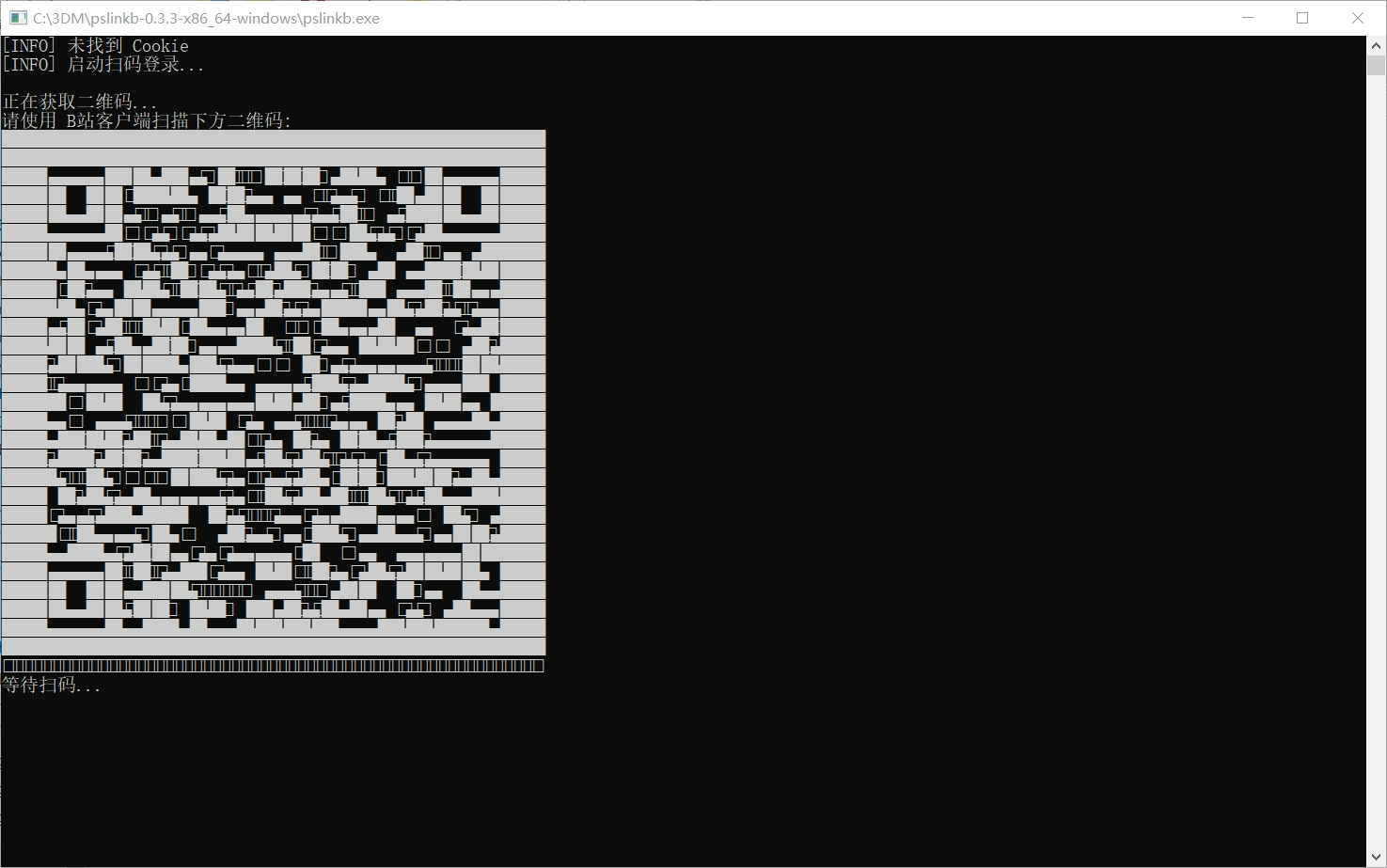
Windows 11 用户:请更改系统默认终端应用为
Windows 终端。见 设置 -> 终端 -> Windows 终端
Windows 10 用户:请点击 安装 Windows 终端
OpenWrt
服务未注册
若服务未出现 PSLinkB , 请按以下流程检查自身 OpenWrt 版本:
awk -F "'" '/^DISTRIB_RELEASE=/ {print $2}' /etc/openwrt_release
若 OpenWrt 版本低于 23.05,请使用 luci-app-pslinkb v0.2.0 + pslinkb v0.3.2